Shopify Opens Canvas, Where You Design a Store With Sidekick - Themes Edited There Stop Getting Updates
On October 1, 2026, Shopify announced Canvas, a surface for designing an online store alongside its AI agent Sidekick. Every page sits on one screen, and a chat instruction rewrites the actual theme code. The official help pages add that a theme edited in Canvas receives no theme updates and its files cannot be downloaded.
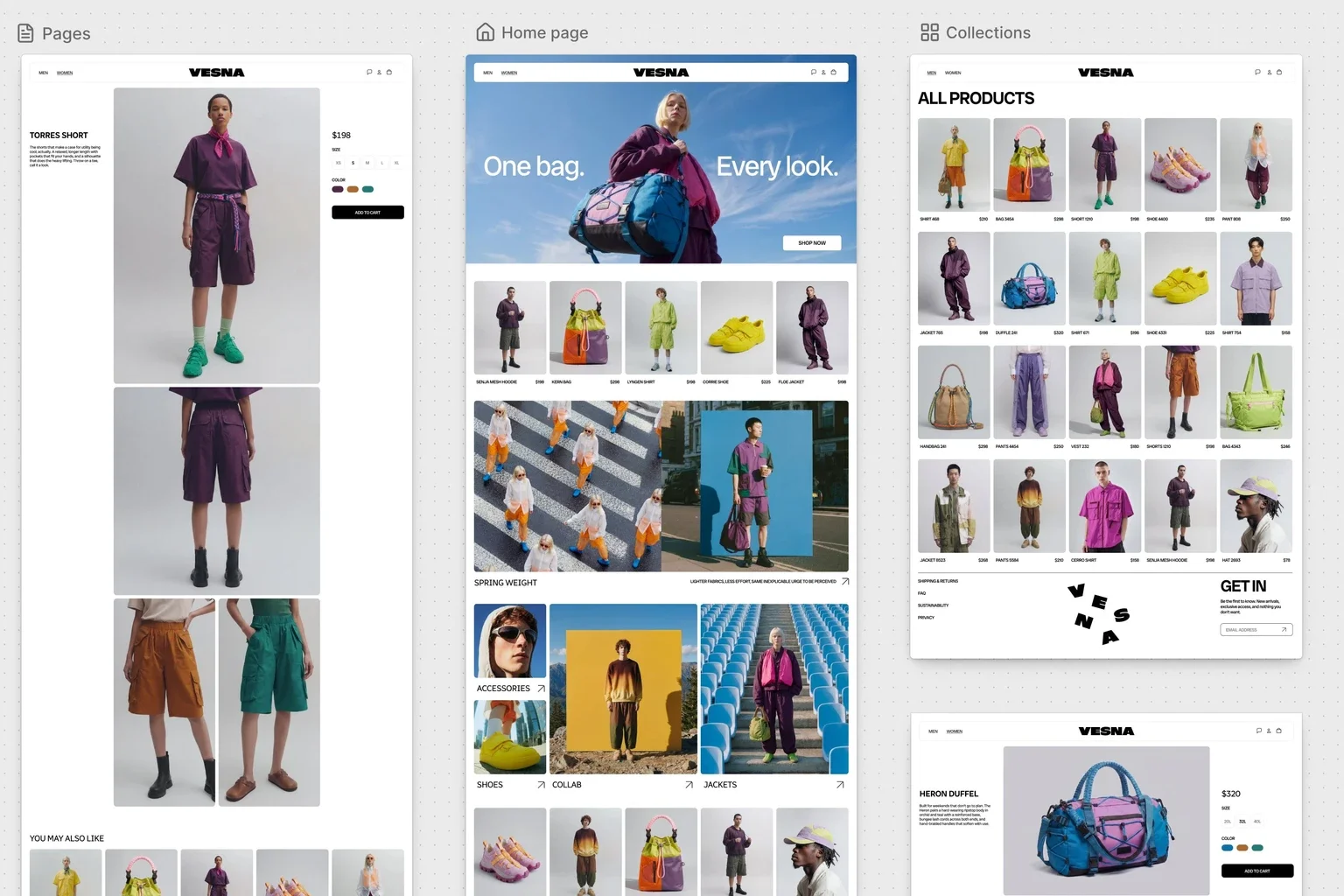
On October 1, 2026, Shopify announced Canvas, a new surface for designing an online store. It is a place to assemble a store together with Sidekick, the company’s AI agent, and Shopify says the rollout will widen over the next few days1. What you look at is a single working surface holding every page of the store, so you can take in the whole thing before moving in on the details.
A theme edited in Canvas, however, gets no theme updates. Nor can its files be downloaded. That is written not in the announcement but in the “requirements and considerations” section of the official help pages2, and for anyone weighing adoption it carries more weight than the feature tour.
Not a Static Preview — the Real Code Is Running
What sits in Canvas is said to be an actual rendering of the store’s theme code. Shopify says each page can be previewed with its interactions and animations intact, and that on key pages you can switch the products, collections and screen size being shown1. You can click an element and change it directly, or ask Sidekick in chat rather than working down a settings panel. Whatever Sidekick changes shows up in Canvas as it happens.
As an AI agent, Sidekick has written code for some while now. Alongside generating apps and building custom theme sections, Shopify says it made more than 25 million edits to themes across the first half of 20261. What had to be built for this release was the ability to range over every template and file a theme is composed of, change them in a coordinated way, and judge the outcome. Sidekick now operates on theme files directly, following instructions and skills written for store building. The structure of themes was itself simplified so Sidekick could follow and alter it more easily.
The working loop is a familiar one for a coding agent: it checks its code, looks at screenshots of how the change landed in Canvas, and uses both signals to correct its work before it returns the result1.
Austin Knight, a design director at Shopify, says that making Sidekick produce code was the easy part, and that steering it toward sound design decisions took considerable time and attention1.
Ben Sehl, who is Shopify’s Director of Product and co-founded Kotn, says that when he built Kotn twelve years ago he already knew his way around code and even so it was two weeks before a rough store would run, whereas an entrepreneur on Shopify today can put together a store customised end to end inside twenty minutes1. That is his own comparison, not a figure Shopify presents as measured.
The Conditions for Using It Are Narrow
Per the official help pages, Canvas sits in early access and reaches only certain stores. You open it via the Themes page of the Shopify admin3. The conditions read as follows (as the help pages stood on October 4, 2026)2.
- Desktop devices only. It will not open on mobile
- A plan that includes theme customization is required. Move to a plan without it and a theme edited in Canvas stays viewable, though it can no longer be edited or published
- Only themes built by Shopify, plus custom themes. Third-party themes are not supported
- The Online store > Themes > Edit code permission is required for staff
The help pages list three uses: creating a new theme out of a description of the brand, testing changes against a duplicate of an existing theme, and asking Sidekick for a change that a block’s settings do not offer3.
Hard to Back Out Of, and Gaps Still Open
Among the constraints listed under considerations, three carry the most weight2.
Theme updates stop arriving. A theme edited in Canvas no longer receives them. If your operation depends on pulling in security fixes or new features from the theme side, that channel is cut.
Theme files cannot be downloaded. For a theme edited in Canvas, you cannot pull the files down. Keeping the code locally under version control, or carrying it to another environment, closes off as an escape route.
App blocks and app embeds cannot be added or configured. For a store whose storefront leans on existing apps, that single point may be enough to rule Canvas out.
Beyond those, theme content cannot be translated inside Canvas (the Translate & Adapt app handles that), and a theme cannot be customized per market. A new block cannot be added to a template by hand; you describe the content or appearance you want and Sidekick adds it. On some older themes, text cannot be edited directly in the preview, so you change the block’s settings or ask Sidekick. As for rollouts, a theme edited in Canvas can go into a rollout to replace the main theme, but it cannot be edited or opened from that rollout2.
Sehl himself says this is early, that Canvas has not taken over from the existing editor, and that gaps remain to be closed1. The tone of the announcement and the volume of constraints in the help pages broadly agree on that reading.
On Shopify’s own numbers, the company said in its August second-quarter results that AI-referred traffic and orders had each tripled year over year. If AI is reshaping how shoppers arrive, this can be read as moving the building side onto the same tooling. What is likely to decide the verdict is less whether a store can be made in twenty minutes than how many years the resulting theme can be operated.
Sources
- Introducing Canvas: Opening the aperture on online store design - Shopify official newsroom (October 1, 2026)
- Requirements and considerations for using Canvas - Shopify Help Center (retrieved October 4, 2026)
- Canvas - Shopify Help Center (retrieved October 4, 2026)
Was this article helpful?
Thank you!
Received. Thank you!