How Three AI Coding Tools Are Actually Run: Claude Code, Cursor, and Google Antigravity
Claude Code, Cursor and Google Antigravity compared on how you run agents in parallel and where you check the results. Based on each vendor's official documentation as consulted on September 25 and 26, 2026, covering parallel execution, cloud execution, the overview screen, review paths, scheduling, APIs/SDKs, and triggering from outside.
Comparisons of AI coding tools tend to settle on completion accuracy or model performance. Read the official documentation for Claude Code, Cursor and Google Antigravity side by side, though, and the bulk of the explanation sits somewhere else: keeping agents working while nobody is at the desk, and where the results get checked.
This article sorts the three by how they are run, not by price or performance. Everything below rests on each vendor’s official documentation as consulted on September 25 and 26, 2026. That documentation changes continuously, so check the current text before adopting anything.
The scope is three tools. Devin Desktop describes its features across several scattered locations in its documentation, and lining it up alongside the others would mean the depth of research differed per product, so it is left out here. That is a decision about scope, not a claim that Devin lacks any of what follows.
Three different ways of producing parallelism
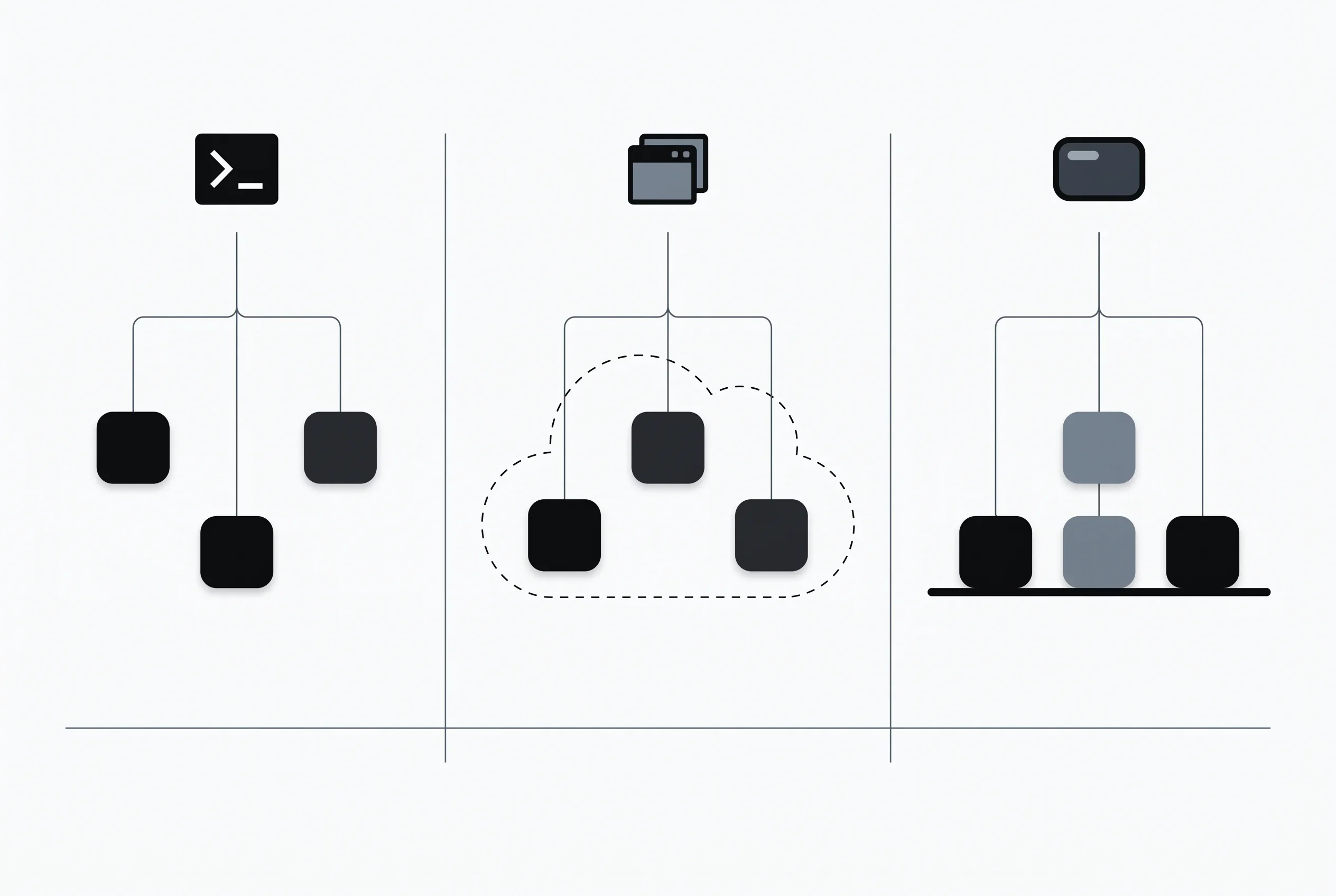
All three can run several agents at once, but the lineage of each approach differs.
Claude Code sorts the ways of taking on several tasks at once into five — subagents, agent view, agent teams, dynamic workflows and projects — and says they differ in how closely you stay involved, and in whether the work happens locally or off in the cloud 1. Agent view is the screen opened with claude agents and is a research preview; agent teams are experimental and off by default; projects is a public beta on Pro and Max. Each status is stated in the documentation. What keeps parallel sessions from editing the same files is worktrees, positioned as a tool for isolation rather than a way of running agents. /batch is described as a skill that divides one large change among 5 to 30 worktree-isolated subagents.
Cursor concentrates this in the Agents Window, a unified workspace for agents spanning repositories and environments — local, cloud, remote SSH and more — which reached general availability alongside Cursor 3 on April 2, 2026 2. Features listed as exclusive to it include multi-workspace, the new diffs view, parallel agents in the cloud, handing an agent back and forth between local and cloud, cloud subagents via /in-cloud, and worktrees, which give each task its own isolated Git checkout and its own files. On that last one the documentation is narrower than the list suggests: the UI-native worktrees it describes belong to the Agents Window alone, and the IDE reaches the same thing through Worktree Skills commands. The setup file .cursor/worktrees.json is consulted whichever of the three — Agents Window, IDE or Cursor CLI — creates the worktree 17.
Cursor has two more layers beyond that. Subagents work in the editor, the CLI and Cloud Agents alike, and several can be launched at the same time 18. Projects puts a coordinator agent — one that writes no code itself — in charge of planning and delegating, running as many agents in parallel as the work calls for; Projects sits in the left-hand nav of the Agents Window and runs on Cloud Agents. It is rolling out to everyone, but it is not available on Enterprise plans, nor with Privacy Mode (Legacy) 19.
Google Antigravity has the parent agent call an invoke_subagent tool to spawn a concurrent session. A subagent’s workspace can be inherited from the parent (inherit), created as an isolated Git worktree (branch), or shared as directory storage (share), and a parent can start several subagents at the same time 3. Projects supports Git worktrees natively so agents can operate in isolated background folders 4. Because a project can be configured across several folders, work spanning a frontend and a backend repository fits into a single conversation. There is a team-shaped layer too: /teamwork-preview puts a Sentinel and a Project Orchestrator over parallel work tracks, with read-only Explorers, implementing Workers, and a verification tier of Critic, Challenger and Auditor. The documentation states it is for paid plans 20.
The sharpest division: does it keep going once the laptop closes
This matters more than parallelism itself.
Cursor’s Cloud Agents do not sit on the local machine at all: each runs on a cloud VM of its own, isolated, carrying a complete development environment. On how many can run together, the documentation says you may “run as many agents as you want in parallel, and they do not require your local machine to be connected to the internet” 5. One prerequisite comes first, though — source control has to be connected at the account level by an admin before a repository can launch one.
Claude Code has several doors into the cloud. Claude Code in the cloud runs sessions from a browser, a phone, the desktop app or the terminal, with --cloud and --teleport for moving a session between them 21. Projects, per the table in 1, has Claude start parallel cloud sessions called threads, and suits work that should keep going while your machine is off. And then there is routines. A routine packages up what a session needs — the prompt, the repositories it works on, the connectors it may reach — and runs that package by itself, on infrastructure Anthropic manages or, where an organization routes it there, on its own self-hosted environment. The documentation’s point is that this keeps working “when your laptop is closed” 6. Routines are a research preview, available on Pro, Max, Team and Enterprise.
Antigravity 2.0 is presented on the product page as a command center for running several local agents in parallel 7, and Remote Control likewise connects a browser to desktop and CLI sessions running on your own machines. The Antigravity SDK page, however, points anyone who needs a managed cloud REST/gRPC API rather than the local Python runtime toward the Gemini API’s Antigravity Agent 8. That one runs in a remote sandbox — but it is a Gemini API product rather than a feature of Antigravity 2.0 or the CLI, so it belongs in a separate column when counting.
Where you check the work shapes the character of the tool
For Claude Code, claude agents is described as one screen that shows each session, what state it is in, and where your input is being waited on 1. Whatever runs in the background of the current session is listed by /tasks, and dynamic workflows by /workflows, so the command for checking differs by approach.
Cursor leans on the new diffs view, whose stated purpose is to “review and commit changes, and manage PRs without leaving Cursor” 2. The review side is built out heavily: the Automations screen carries three Cursor-managed agents — Bugbot, which goes over a pull request looking for bugs and for code-quality problems; Security Agents, which look for vulnerabilities; and PR Routing & Approval, which sends pull requests to the right reviewers and is able to approve changes it judges low-risk 9. Security Agents itself comes in two Cursor-managed types: a Security Reviewer that checks pull requests before they merge, and a Vulnerability Scanner that scans the codebase at rest — and the Security Review released on September 23 is the former 23. Rollouts, released the same day, joins as an agent separate from those three. Rollouts and Security Review are for the Teams and Enterprise plans.
What Antigravity puts in this position is the idea of Artifacts — structured deliverables the agent produces, a category that runs from implementation plans and code diffs to browser recordings. The documentation frames this around asynchronous collaboration: instead of following each tool call as it happens, the human looks at the deliverables when a milestone arrives 10. The desktop app has a dedicated review pane; in the CLI it becomes a keyboard-driven review panel.
Artifacts are not the whole of Antigravity’s review surface, though. Antigravity 2.0 opens a Git-native VCS review panel from the sidebar, which separates uncommitted working-tree changes, changes on the current branch, and the diffs that came specifically from an agent’s edits. Staging, unstaging and discarding happen per file there, and the same panel commits — with the option of generating the message automatically — and pushes 4. Reviewing diffs and committing them yourself is workable in all three tools.
Claude Code’s PR review is Code Review, which reads GitHub pull requests and leaves inline comments on the offending lines. It is a research preview for Team and Enterprise subscriptions, and findings carry a severity but neither approve nor block the PR, so existing review workflows are left intact 11. On other plans, /code-review reviews a diff locally instead.
What runs while you are away, and what can start it from outside
All three schedule work. Claude Code’s routines take Scheduled, API and GitHub triggers, and one routine can carry more than one 6. Cursor’s Automations put cloud agents to work in the background, driven either by a schedule or by events arriving from sources the documentation lists as “GitHub, GitLab, Slack, webhooks, Linear, and more”; the schedule itself comes from a preset or a cron expression 9. Antigravity’s Scheduled tasks use Gemini 3.8 Flash to send messages to agents while you are away, on repeating time-based triggers 4.
The clearest gap is in what can start a job from a chat tool or an issue tracker. Cursor lists, as ways to kick off a cloud agent, the iOS app, the web, the desktop app, @cursor in Slack, an @cursor comment on a GitHub PR or issue and on a Bitbucket PR, Linear, and the API 5. A Project’s coordinator also takes Subscriptions: tell it to watch a Slack channel, run on a schedule, or follow your pull requests, and it acts on what it detects without being prompted 19. Claude Code has a Slack integration plus GitHub Actions and GitLab CI, and the GitHub and API triggers on routines. The Slack side is mid-transition, though: for Team and Enterprise workspaces the earlier version is being retired in favor of Claude Tag, while on Pro and Max it remains the setup path 12.
For Antigravity, no page covering Slack, GitHub or Linear integration appeared in the documentation listing. Remote Control drives your own local sessions from a browser, which is a different mechanism from starting a job out of a chat tool 13.
APIs and SDKs exist for all three. Claude Code has the Agent SDK, available as the CLI’s claude -p and as Python and TypeScript packages 14. Cursor ships two: @cursor/sdk for TypeScript and cursor-sdk for Python, each exposing the very agent the IDE, the CLI and the web app already use. The TypeScript documentation describes it as putting a single interface over both the local and the cloud runtime 15, and the Python page points to the SDK Bridge for other languages 22. Antigravity’s SDK is Python, installed with pip install google-antigravity 8, and its CLI has a headless mode: pass a prompt to -p (aliased as --print and --prompt) and it runs once and exits 24.
Four things to look at when choosing
Taken together, the comparison narrows to four questions.
- Does it need to run in the cloud? To keep going with the laptop shut, Cursor’s Cloud Agents and Projects, and Claude Code’s cloud sessions, projects and routines, answer that directly. Antigravity 2.0’s product page describes it around your own machine, and running in the cloud means reaching for the Gemini API product instead.
- Do you want to start jobs from a chat tool or issue tracker? Cursor has both the Cloud Agents entry points and a Project’s Subscriptions; Claude Code has Slack, CI, and the triggers on routines. For Antigravity this route could not be confirmed in the official documentation.
- At what grain do you want to check? Reviewing diffs and committing them yourself works through Cursor’s diffs view and equally through Antigravity 2.0’s VCS panel. The divergence sits earlier than that: looking at deliverables at milestones points to Antigravity’s Artifacts, and seeing the state of each session at a glance points to Claude Code’s agent view.
- Did you check the status labels? Among the features here, Claude Code’s agent view, routines and Code Review are research previews, agent teams is experimental and off by default, projects is a public beta on Pro and Max, and Antigravity’s Scheduled tasks is written up in the language of an introduction. Look up the current status in each vendor’s documentation before building any of it into production.
Prices and plans are laid out side by side in AI Coding Tool Pricing Comparison 2026, but that article covers Claude Code, Cursor, Copilot, Cline, Devin and Gemini CLI, and does not include Antigravity. Antigravity’s own pricing page puts individuals at $0 per month — usable without a subscription, with basic weekly rate limits — and above that Google AI Pro, Google AI Ultra, and an Organization plan through Google Cloud 16.
How agents get run is the area each vendor has worked on hardest over the past year, as Cursor’s coordinator agent and Antigravity’s design at launch both show. Deciding where your team wants to check results tends to help the selection more than the feel of the editor does.
Sources
- Run agents in parallel - Anthropic official documentation (accessed September 25, 2026)
- Agents Window - Cursor official documentation (accessed September 25, 2026)
- Custom subagents - Google Antigravity official documentation (accessed September 25, 2026)
- Antigravity 2.0 features - Google Antigravity official documentation (accessed September 25, 2026)
- Cloud Agents - Cursor official documentation (accessed September 25, 2026)
- Automate work with routines - Anthropic official documentation (accessed September 25, 2026)
- Google Antigravity - Google Antigravity official site (accessed September 25, 2026)
- Google Antigravity SDK - Google Antigravity official documentation (accessed September 25, 2026)
- Automations - Cursor official documentation (accessed September 25, 2026)
- Artifacts - Google Antigravity official documentation (accessed September 25, 2026)
- Code Review - Anthropic official documentation (accessed September 25, 2026)
- Claude Code in Slack - Anthropic official documentation (accessed September 25, 2026)
- Remote Control - Google Antigravity official documentation (accessed September 25, 2026)
- Run Claude Code programmatically - Anthropic official documentation (accessed September 25, 2026)
- TypeScript SDK - Cursor official documentation (accessed September 25, 2026)
- Pricing - Google Antigravity official site (accessed September 25, 2026)
- Worktrees - Cursor official documentation (accessed September 25, 2026)
- Subagents - Cursor official documentation (accessed September 25, 2026)
- Projects - Cursor official documentation (accessed September 25, 2026)
- Teamwork agent teams - Google Antigravity official documentation (accessed September 25, 2026)
- Use Claude Code in the cloud - Anthropic official documentation (accessed September 25, 2026)
- Python SDK - Cursor official documentation (accessed September 25, 2026)
- Security Agents - Cursor official documentation (accessed September 26, 2026)
- Headless mode - Google Antigravity official documentation (accessed September 26, 2026)
Was this article helpful?
Thank you!
Received. Thank you!