What Is MCP? An Introduction to the 'USB-C Port' for AI Integrations
MCP (Model Context Protocol) is the open standard connecting AI applications to external systems. Based on the official documentation, this guide explains why it exists, how the host-client-server architecture works, and what the three primitives — tools, resources, and prompts — actually provide.
Phrases like “MCP support” and “MCP server now available” keep showing up in descriptions of AI tools and services. Claude, ChatGPT, Visual Studio Code, Cursor — the major AI applications and developer tools all support it1. So what exactly is MCP (Model Context Protocol)?
This article draws on MCP’s official documentation and Anthropic’s announcement to explain why MCP was created and how it works, in terms accessible to readers who are not AI specialists.
What is MCP? A “USB-C port” for AI applications
According to the official site, MCP is “an open-source standard for connecting AI applications to external systems”1. Using MCP, AI applications like Claude or ChatGPT can connect to data sources (such as local files and databases), tools (such as search engines and calculators), and workflows (such as specialized prompts), enabling them to access key information and perform tasks1.
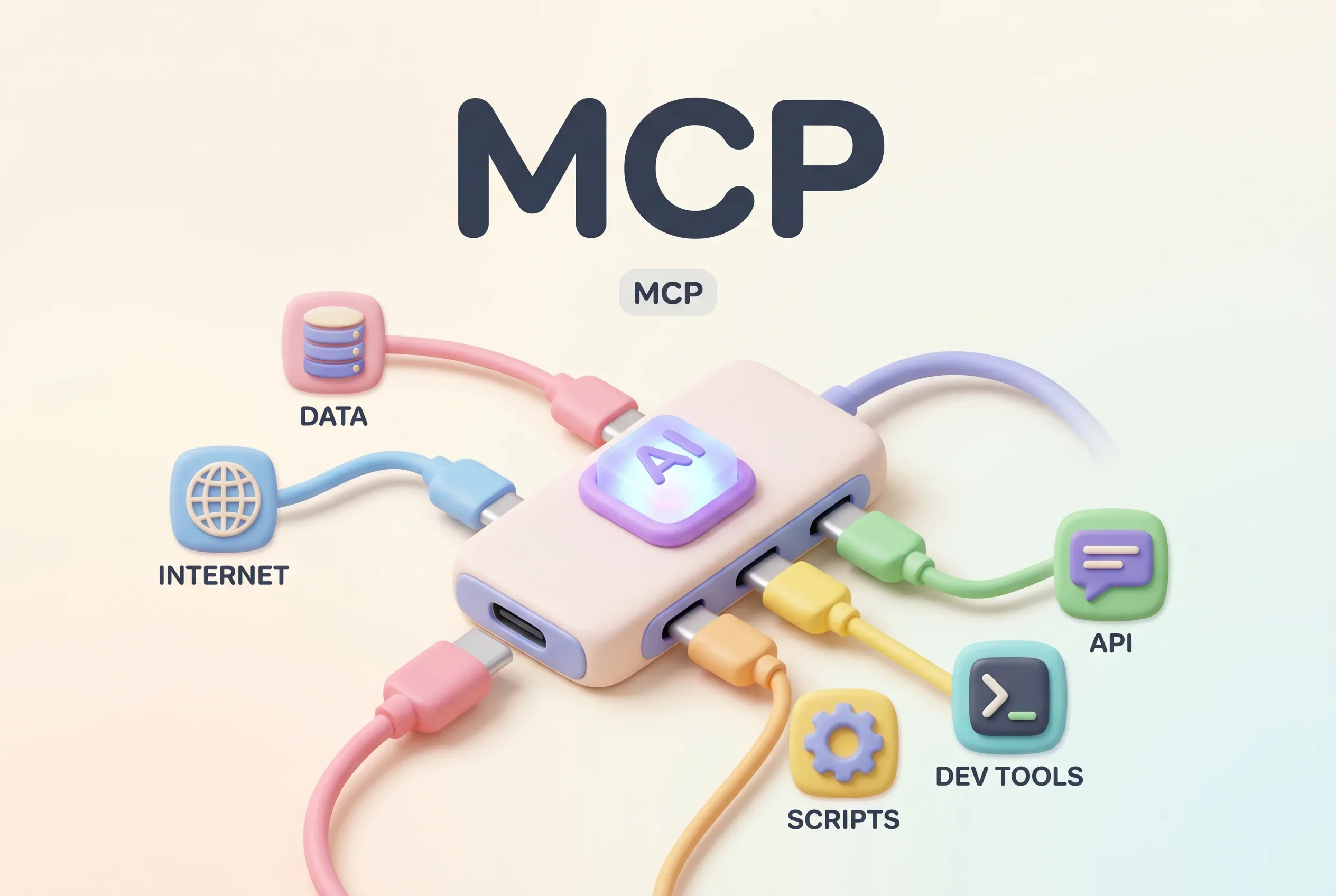
The official site describes it as being “like a USB-C port for AI applications”1. Just as USB-C standardized how electronic devices connect, MCP standardizes how AI applications connect to external systems. The way any USB-C charger works with any USB-C device, anything that speaks MCP can be combined with an AI application — no custom integration work required.
Why it exists: the fragmentation problem
MCP is a protocol that Anthropic announced and open-sourced on November 25, 20243. The problem Anthropic described at launch: connecting an AI assistant to external data and tools required a custom implementation for every single data source. With connection methods fragmented across services, genuinely connected systems were hard to scale. MCP’s answer was to let developers build against one common standard protocol instead of maintaining a separate connector for every destination3.
Consider ten AI applications and ten external services you want them to reach: with bespoke integrations, that is up to one hundred connections to build. With a shared protocol, each side implements the standard once. Block and Apollo integrated MCP early on, and developer-tool companies including Zed, Replit, Codeium, and Sourcegraph worked on support3. OpenAI has also reportedly adopted MCP5, and with ChatGPT among the major applications supporting it1, MCP is becoming the de facto common standard.
How it works: hosts, clients, and servers
MCP follows a client-server architecture with three participants2.
The MCP host is the AI application itself — the thing the user actually touches, such as Claude Code or Claude Desktop. The host establishes connections to one or more MCP servers and coordinates multiple MCP clients2.
The MCP client is a component inside the host that maintains a dedicated one-to-one connection with a server. The host creates one client per server, and the client obtains context from its server on the host’s behalf2.
The MCP server is a program that provides context and capabilities to the AI2. For example, Visual Studio Code acts as an MCP host: when it connects to the MCP server for the error-monitoring service Sentry, it instantiates one client; when it then connects to a local filesystem server, it instantiates another2.
Despite the name, an MCP server need not be heavyweight infrastructure — it can be a small program running on your own machine. Both local servers (communicating over standard input/output) and remote servers (communicating over HTTP) are supported2. Under the hood, the messages follow JSON-RPC 2.0, a well-established format2.
The three things a server can offer: tools, resources, and prompts
What an MCP server can provide to an AI application falls into three categories, which the official documentation calls primitives2.
First, Tools: executable functions the AI can invoke to perform actions — file operations, API calls, database queries, and the like2. Tools give the AI “hands.”
Second, Resources: data sources that provide contextual information to the AI, such as file contents, database records, and API responses2. Resources hand the AI its “reference material.”
Third, Prompts: reusable templates that structure interactions with the language model, such as system prompts and few-shot examples2.
To borrow the official documentation’s example, an MCP server for a database could expose tools for running queries, a resource containing the database schema, and a prompt with worked examples of how to use the tools2. On connection, the AI application first lists what a server offers before using it, and when the server’s lineup changes, it can notify clients so they refresh the list2 — a design that tolerates a dynamically shifting set of capabilities.
What MCP makes possible
The official site offers concrete examples: agents accessing your Google Calendar and Notion to act as a more personalized assistant, Claude Code generating an entire web app from a Figma design, enterprise chatbots connecting to multiple databases across an organization so users can analyze data through chat, and AI models creating 3D designs in Blender and sending them to a 3D printer1.
The common thread: AI stops being something that merely answers from its trained knowledge, and becomes something that reads the data that exists right now and operates external tools to get work done. For AI agents that carry out tasks autonomously, MCP is the standardized wiring to the outside world.
We have covered specific MCP servers on this site before, including Figma Context MCP, which feeds design data to AI coding tools. For a tour of which servers are popular, see our MCP tools ranking — with the mechanics under your belt, browsing the actual ecosystem makes its breadth tangible.
Sources
- What is the Model Context Protocol (MCP)? - Official MCP website
- Architecture overview - Official MCP documentation (architecture)
- Introducing the Model Context Protocol - Anthropic’s announcement (November 25, 2024)
- Glossary - Anthropic’s official glossary
- MCP(Model Context Protocol)とは? ユースケースも交えて解説 - Japanese-language explainer by NTT East
Was this article helpful?
Thank you!
Received. Thank you!