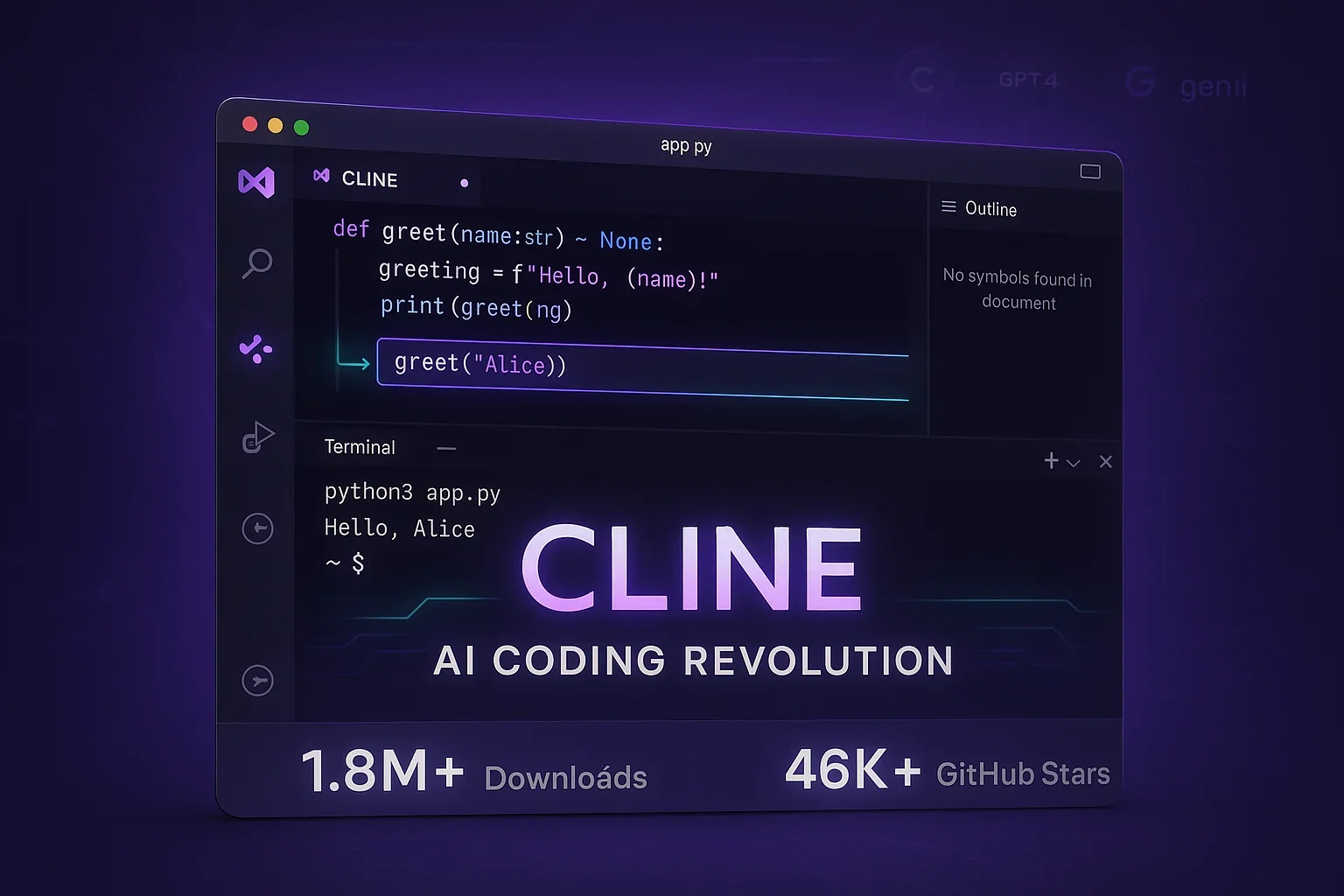
Cline: The Open-Source AI Coding Agent for VS Code (4.8M+ Installs)
Cline is an open-source AI coding assistant for VS Code that can autonomously write code, edit files, and run terminal commands. How founder Saoud Rizwan's tool passed 4.8 million installs and what sets it apart.
The evolution of AI technology is bringing about a major transformation in the world of programming. Among these developments, an AI coding assistant called “Cline” (pronounced like “Klein”) that appeared in 2024 has rapidly gained attention in the developer community. This tool, which operates within VS Code, is a solution that goes beyond simple code completion to function as a partner for developers.
As of July 2026, Cline has passed 4.8 million installs on the VS Code Marketplace4 and garnered more than 65,000 stars on GitHub3. This open-source project was developed by Saoud Rizwan, founder of Cline Bot Inc., and has received support from developers worldwide2. This article explores why Cline has gained such popularity and examines its features and innovations in detail.
The Birth and Development Background of Cline
The Cline project began in 20243. Founder Saoud Rizwan established Cline Bot Inc., based in San Francisco, and developed this tool with the vision of “fundamentally improving developer efficiency.”
Development Team and Company Information
Cline Bot Inc. is a growing startup run by a small team. Key team members include:
| Position | Name | Area of Responsibility |
|---|---|---|
| Founder | Saoud Rizwan | Overall Management & Development |
| Head of AI | Nik Pash | AI Technology Strategy |
| Head of Talent Acquisition | Dino Lamela | Recruitment & Organizational Development |
| Product Marketing | Nick Baumann | Product Strategy |
The company’s mission is to “thoughtfully and intelligently scale software engineers’ efficiency through unrestricted usage of frontier language models.”
Cline’s Revolutionary Features
1. Autonomous Coding Capabilities
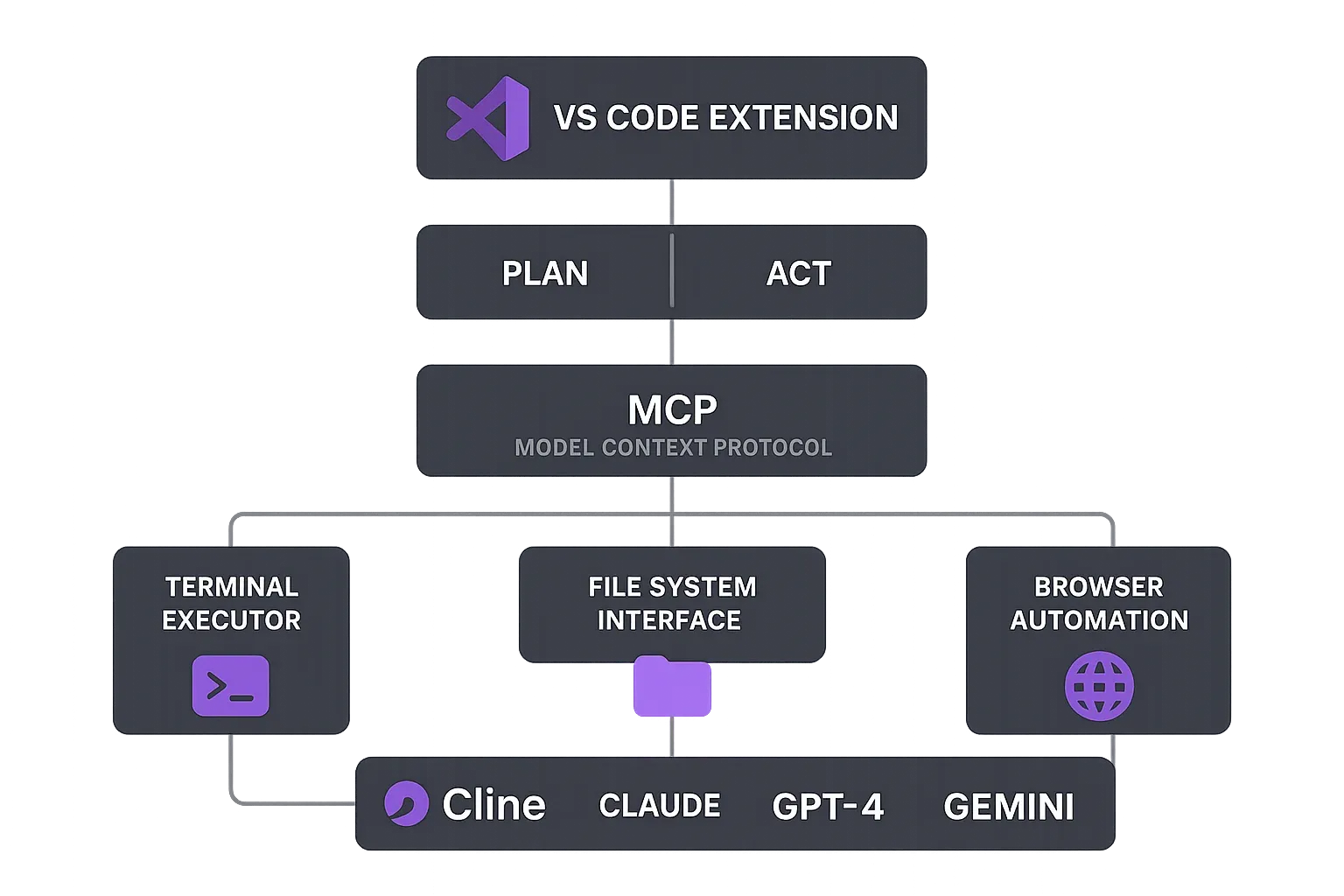
Cline’s greatest feature is its ability to not just complete code, but to autonomously proceed with work while interacting with the entire development environment. Specifically, it has the following capabilities:
- File Creation & Editing: Automatically create, edit, and delete files within projects
- Terminal Execution: Directly execute commands such as npm install, build scripts, and test runs
- Browser Automation: Operate websites with a headless browser to fix runtime errors and visual bugs
- Error Detection & Repair: Monitor linter and compiler errors, automatically fixing missing imports and syntax errors
2. Model Context Protocol (MCP) Support
Cline is one of the few tools that supports Model Context Protocol (MCP)1. Through MCP, Cline can create new tools and extend its own capabilities. This is a major differentiating factor from other AI coding assistants.
3. Plan/Act Dual Mode
Cline has two operating modes: “Plan” mode and “Act” mode:
- Plan Mode: Analyze tasks and create execution plans
- Act Mode: Actually write code and execute commands
This structured approach enables step-by-step processing of complex tasks.
Reasons for Popularity and Success Factors
1. Open Source and Community
Cline is fully open-sourced under the Apache 2.0 license3. This provides:
- Transparent development process
- Active community contributions through its Discord community1
- Continuous feature improvements and bug fixes
2. Multi-Model Support
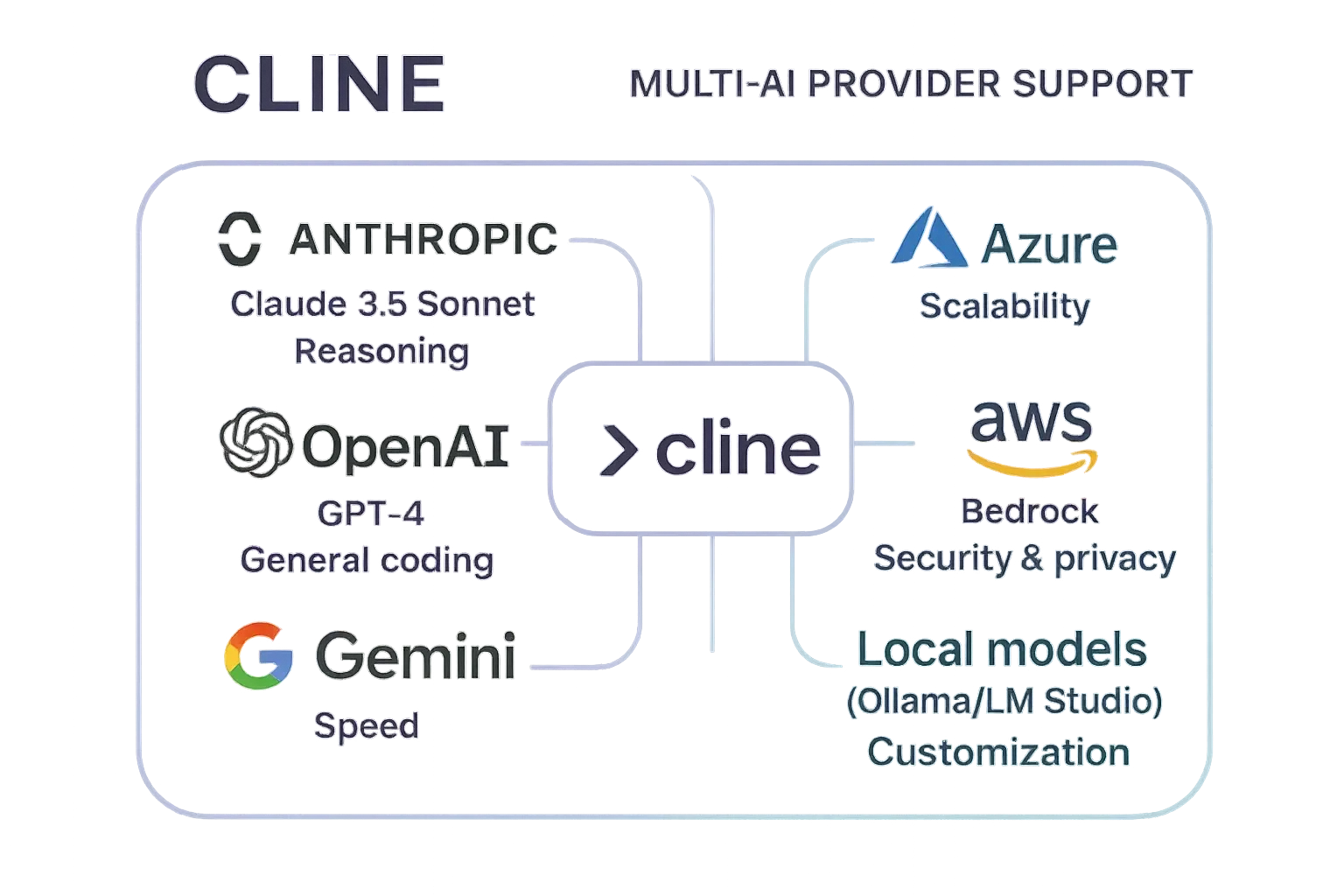
Cline doesn’t depend on specific AI models and supports multiple providers:
| Provider | Example Models |
|---|---|
| Anthropic | Claude 3.5 Sonnet |
| OpenAI | GPT-4 Series |
| Gemini 2.0 Flash | |
| Others | AWS Bedrock, Azure, Ollama (local) |
3. Human-in-the-Loop Safety
Unlike traditional autonomous AI scripts, Cline employs a system where all file changes and terminal commands are approved through a GUI1. This provides:
- Prevention of unintended changes
- Complete developer control maintained
- Safe usage while learning
4. Cost Transparency
Cline tracks and displays API usage and costs in real-time1. This allows developers to work efficiently while managing their budget.
Practical Usage Examples and Effects
Installation and Initial Setup
Getting started with Cline is very simple:
- Search for “Cline” in the VS Code extensions marketplace
- Click the install button
- Set up your preferred AI provider’s API key
Development Efficiency Improvements
Developers report substantial gains in development efficiency using Cline2. Benefits cited include:
- Reduced Debugging Time: Automatically identify and fix complex bug causes
- Automated Refactoring: Safely execute large-scale code changes
- Integration Test Implementation: Efficiently create E2E tests through browser automation
Future Prospects and Challenges
Technical Evolution
Cline actively incorporates the latest AI technologies, such as leveraging Claude 3.5 Sonnet’s “Computer Use” capability3. Future evolutions are expected to include:
- Implementation of more advanced reasoning capabilities
- Increased efficiency in multi-file editing
- Expansion of team development features
Challenges and Areas for Improvement
Current areas for improvement in Cline include:
- Context management in large-scale projects
- Optimization for specific frameworks
- Enterprise-level security features
Cline represents a shift in AI-assisted development, moving beyond code completion to collaborative programming. With millions of installs and the ability to edit hundreds of files while maintaining human oversight, it has shown that developers want AI partners, not replacements.
The tool’s success stems from understanding a crucial balance: maximizing AI capabilities while keeping humans firmly in control. Features like file-by-file approval, transparent reasoning display, and multi-model support demonstrate that the future of development isn’t about AI autonomy but intelligent collaboration. As founder Saoud Rizwan’s vision continues to materialize through open-source innovation, Cline is positioned to shape how millions of developers will work with AI - not as a threat to their profession, but as an amplifier of their capabilities.
We encourage all developers to try Cline at least once. It’s free to start and open-source, allowing you to experience it without risk. Why not experience the new development style of collaborating with AI through Cline?
Sources
- Cline - AI Autonomous Coding Agent for VS Code - Official Cline Website
- Why I use Cline for AI Engineering - Detailed review by Addy Osmani
- GitHub - cline/cline - Official Cline GitHub Repository
- Cline - Visual Studio Marketplace - Official VS Code Marketplace page (install count)
Was this article helpful?
Thank you!
Received. Thank you!